From Zero to know — Start React
From Zero to know React — Start React
If you have not already for webpack , you can read my previous article :)
From Zero to know React — Webpack Using Webpack to package out javascriptmedium.comOkay , that’s do it !
Env
Install React
- on terminal , first cd to folder dir
$ cd desktop/hello-react // Cd to your project dir $ npm install react react-dom —save // Use Npm to install react and react-dom #### Install Loader
Why we use loader ?
- because the browser can’t recognize our ***.jsx ***, so we use webpack-loader to package our jsx !
- official doc : https://webpack.docschina.org/loaders/babel-loader/
Install webpack’s package — babel (We used babel-loader )
- on terminal
$ npm install babel-loader —save-dev
$ npm install @babel/core —save-dev
$ npm install @babel/preset-react —save-dev
$ npm install @babel/preset-env —save-dev - edit webpack.config.js
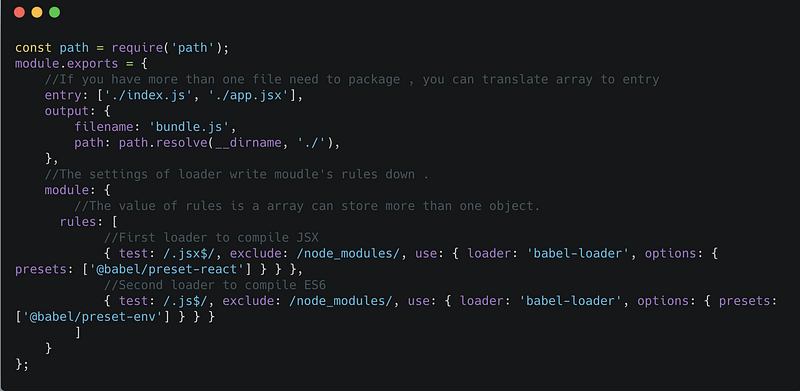 #### Loader’s object have three attributes.
- test
- Use regular expressions to find files with .jsx at the end.2. exclude
- Specify a path that is not compiled .3. use
- Specify the loader used to compile the conditions that match the file name.- There are two properties in this object: 1.loader: Specify the package to be compiled. Specify the babel-loader just downloaded. 2.option: Specify which of the presets in the loader suite, because we are compiling JSX, so enter @babel/preset-react here.### Let’s Coding
Introduce Jsx
- Html’s Filename Extension is*** .html***
- What is Jsx , Jsx is Javascript’s Extension , you can see it below .
- Jsx’s filename extension is .jsx
const element = <h1>Hello, world!</h1>;
First Step — Import React and React-Dom to document
 #### Second Step — Create app.jsx to your project dir
 app.jsx#### Third Step — Create index.html to your project dir
if you read previous article you will modify one .
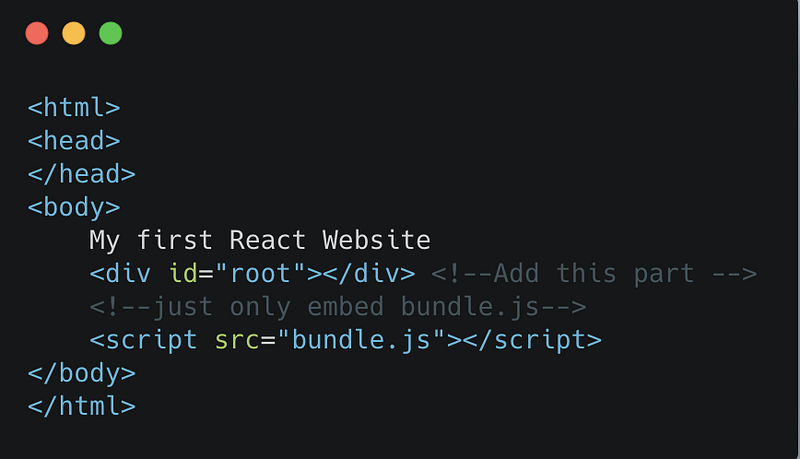 index.html#### Let’s Package !
$ webpack -p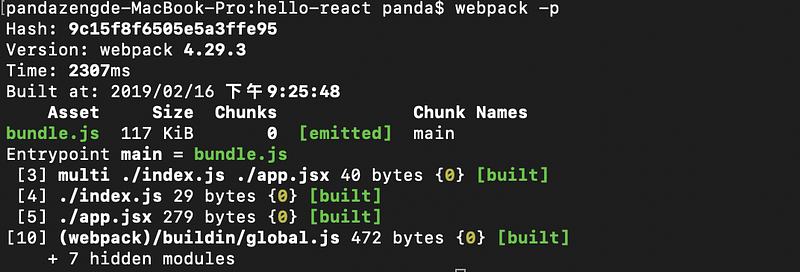 on terminalWe can open the browser (index.html ), and we can see that :)
 > I think that is troublesome about open index.html , so we can install webpack server to make the step simple .
Install
- on terminal
$ npm install webpack-dev-server -g- after install the webpack server , we will edit webpack.config.js again
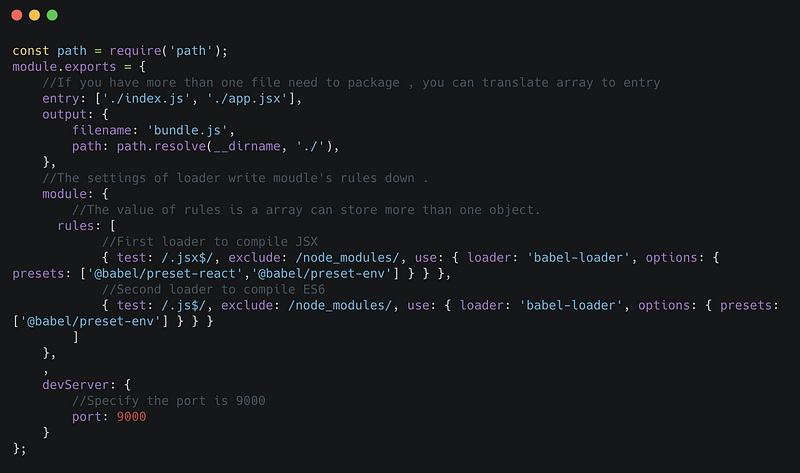 webpack.config.js- on terminal
$ webpack-dev-server and you can connect your server : localhost:9000
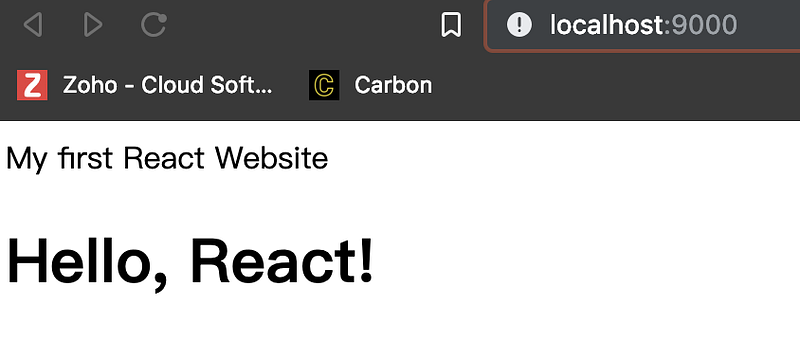 local server : localhost:9000> If you want to close/exit your server , you can press ***ctrl+c ***on your terminal .
If everybody like this article , welcome to share it and clapped (pressure can be up to 50)!
Weclome to help me like my LikeCoin Button(Logged in LikeCoin) .
My Ether Address : 0x0CC9E059BFf58a6bBe4b34c81e7f3416Af91091a
Contact Me
Hello, I am Panda .
Welcome to give me some comments or find me through the link.
Thx EveryBody !
- Email — kiss851990@gmail.com
- GitHub